Water Damage
Run a water loss on one job, from the emergency call to the final payment. The crew records readings, equipment, and hours on the phone, and the office sees the drying progress and the job costs on the same job.
From the First Call to a Job
A water loss starts as a lead with an emergency priority, the loss details, and an insurance flag. Routing rules send it to the right crew by postal code, priority, and loss type, and the crew accepts or declines from the phone.
- Leads. Intake with callback time, emergency priority, loss details, an insurance flag, and conversion to a job.
- Lead Routing. Coverage areas by postal code, rules by priority and loss type, and response targets.
- Crew Handoff. Your escalation team is alerted if nobody answers the assignment.
- Insurance Claims. Carrier, adjuster, policy, deductible, milestones, and supplements stay on the job.
Drying Records for the Adjuster
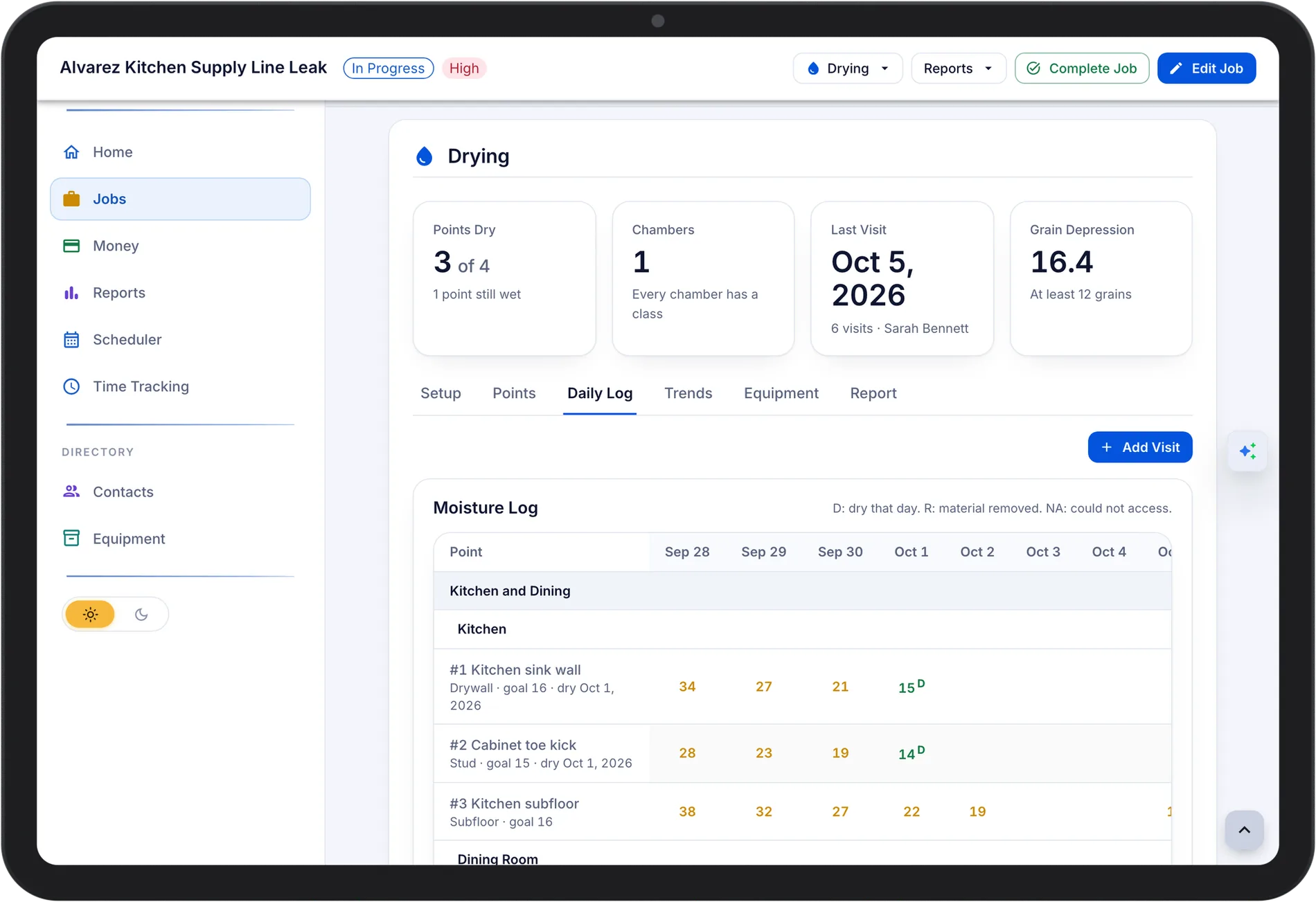
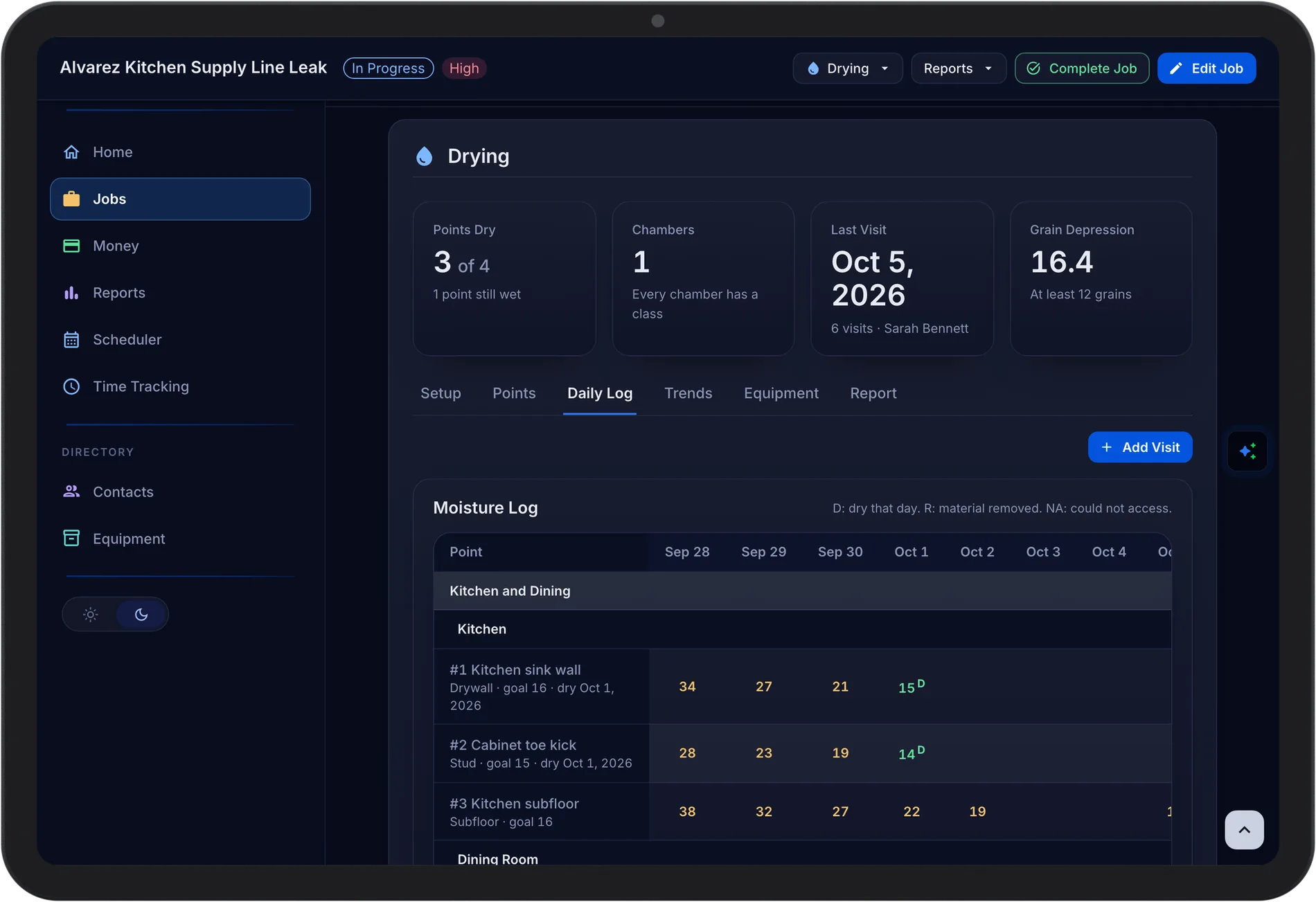
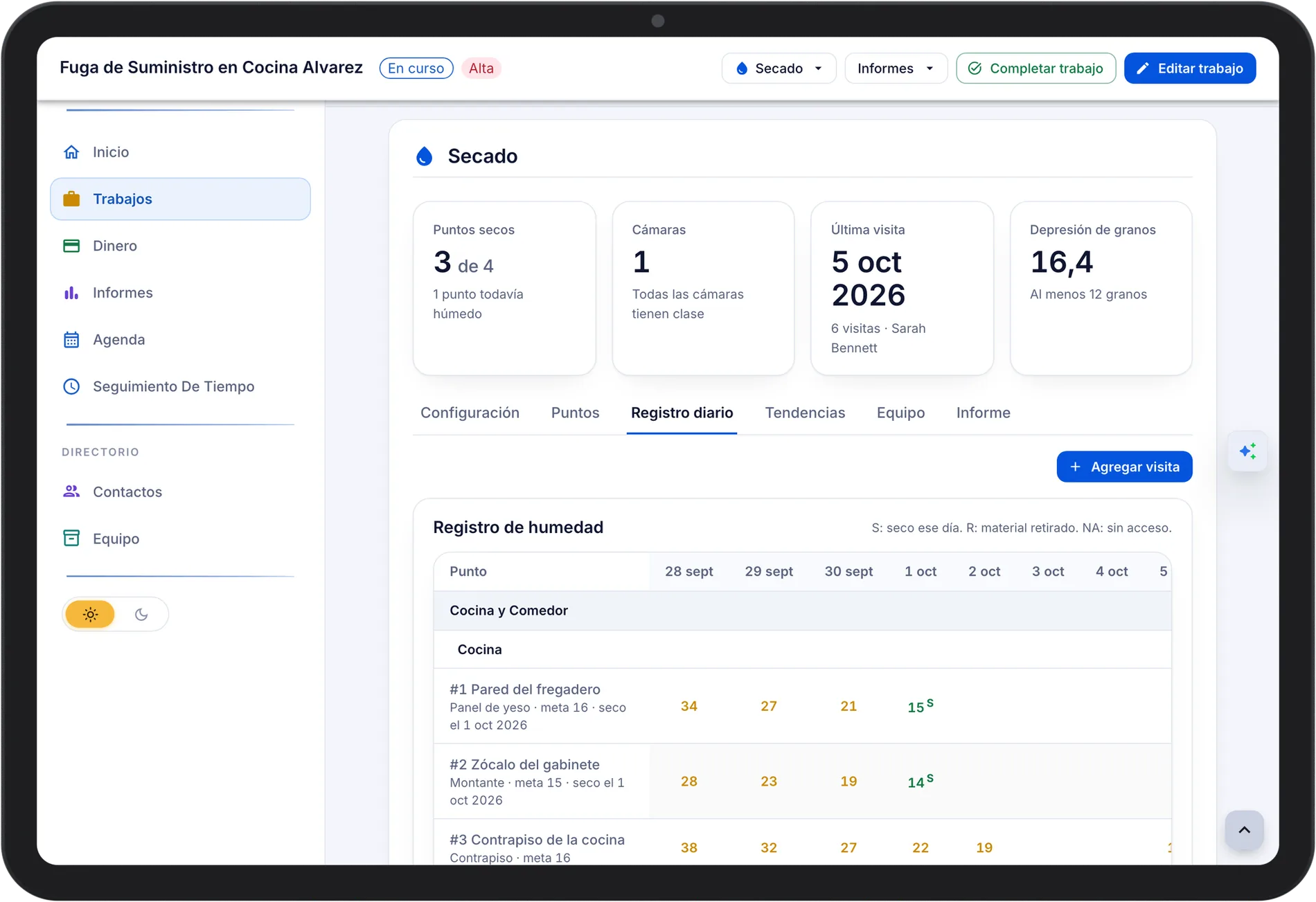
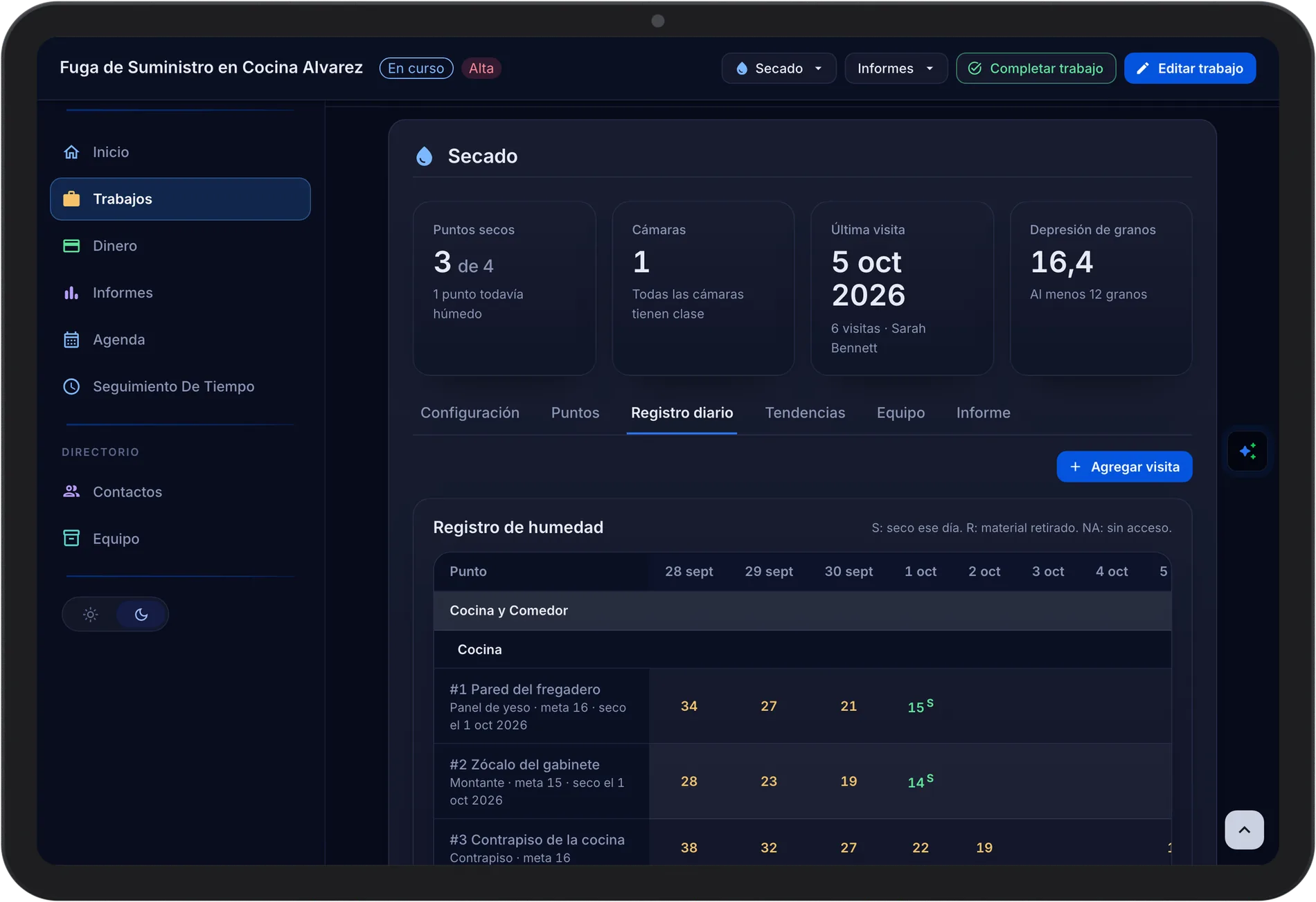
Set up chambers and rooms, add reading points with a dry goal, and record each visit. The Drying Report prints the loss details, the moisture and atmospheric logs, charts, equipment days, and photos, with the claim number and carrier from the job.
- Reading Points with Dry Goals. Daily readings by room and material against a dry goal.
- Grain Depression. Atmospheric readings show the grain depression at each dehumidifier outlet.
- Printable Drying Report. The complete drying file for the adjuster, ready to print or save as a PDF.
Equipment on Every Water Job
Every unit is scanned onto the van, onto the job by room, and back. The equipment calculator compares what each chamber calls for with what is placed, and billable equipment days export for the estimate.
- Load, Place, and Return by Scan. Duplicate and unknown scans are flagged.
- Equipment Sizing Warnings. Placed equipment is checked against the size of the chamber.
- Billable Equipment Days. Days per type, room, and chamber, exported to CSV.
- Forgotten Gear Alert. A job cannot close while equipment is still on site unless someone with permission to force completion overrides the check.
Know What the Job Made
Hours clocked on site, approved expenses, vendor bills, materials, and mileage land on the job as they happen. Job Profitability sets them against paid revenue, so you see the margin on every water job.
- Labor from Clock-Ins. Hours clocked on site land on the job as labor cost.
- Invoices and Card Payments. Collect by card on site or email a hosted invoice link.
- Job Profitability. Paid revenue against labor, materials, expenses, subs, and mileage.
Common Questions
Yes. Assigned jobs, tasks, moisture readings, drying logs, and the time clock keep working on the phone and sync when the crew is back online.
The equipment calculator uses each chamber's water class and room sizes to give the dehumidifier capacity and air movers it calls for, and shows whether what is placed is within that range.
Yes. Xactimate ESX estimate files can be attached to the lead and downloaded from it.
Every plan includes drying logs, equipment tracking, and job costing.
See Pricing